Discover ‘Track My Attendance,’ an innovative Android Attendance App built with Kotlin! 📱✨ Perfect for all students, this app simplifies attendance tracking with seamless functionality and user-friendly design. Explore features, source code, and step-by-step guides to create your own attendance management solution.
June 16, 2026
GPW Team
Android Projects
STARTER PROJECT
📈Track My Attendance:Android App using Kotlin
🗓️ Project Added: June 04, 2025
🔄 Last Updated: June 16, 2026
🎀Category: Starter Project
📑Report Available: No
ABOUT PROJECT:
📍Project Summary:
Track My Attendance App is a mobile application specifically designed to facilitate students in effectively monitoring their attendance across multiple subjects. It has been developed utilizing Kotlin and Android Jetpack Compose, which provides a contemporary and user-friendly interface optimized for the Android operating system.
📜 Credits & Licensing:
📌 Original concept based on the publicly available Android app “Attendance-App” by birajdiyora on GitHub.
🪄Genie Enhanced Edition – upgraded by our team for academic learning purposes:
🐞 Fixed multiple existing bugs.
📱 Made compatible with the latest Android Studio versions (Ladybug (2024.2.1)).
🎥 Added step-by-step installation video guide.
💡 All credits to the original author for the base concept. This enhanced edition reflects our derivative improvements and value-added resources.
📸Project Screenshots:
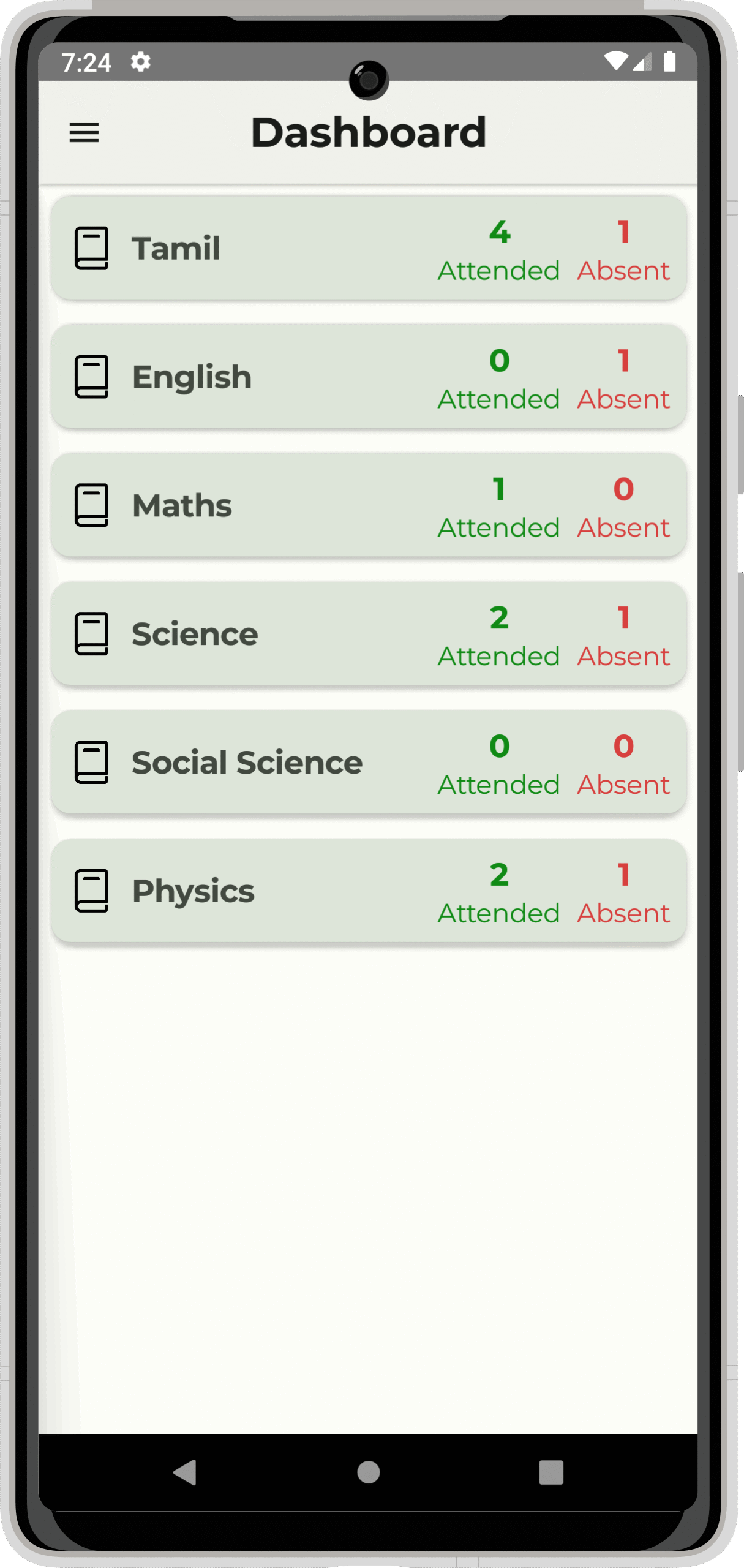
1. Track My Attendance - Dashboard Screen
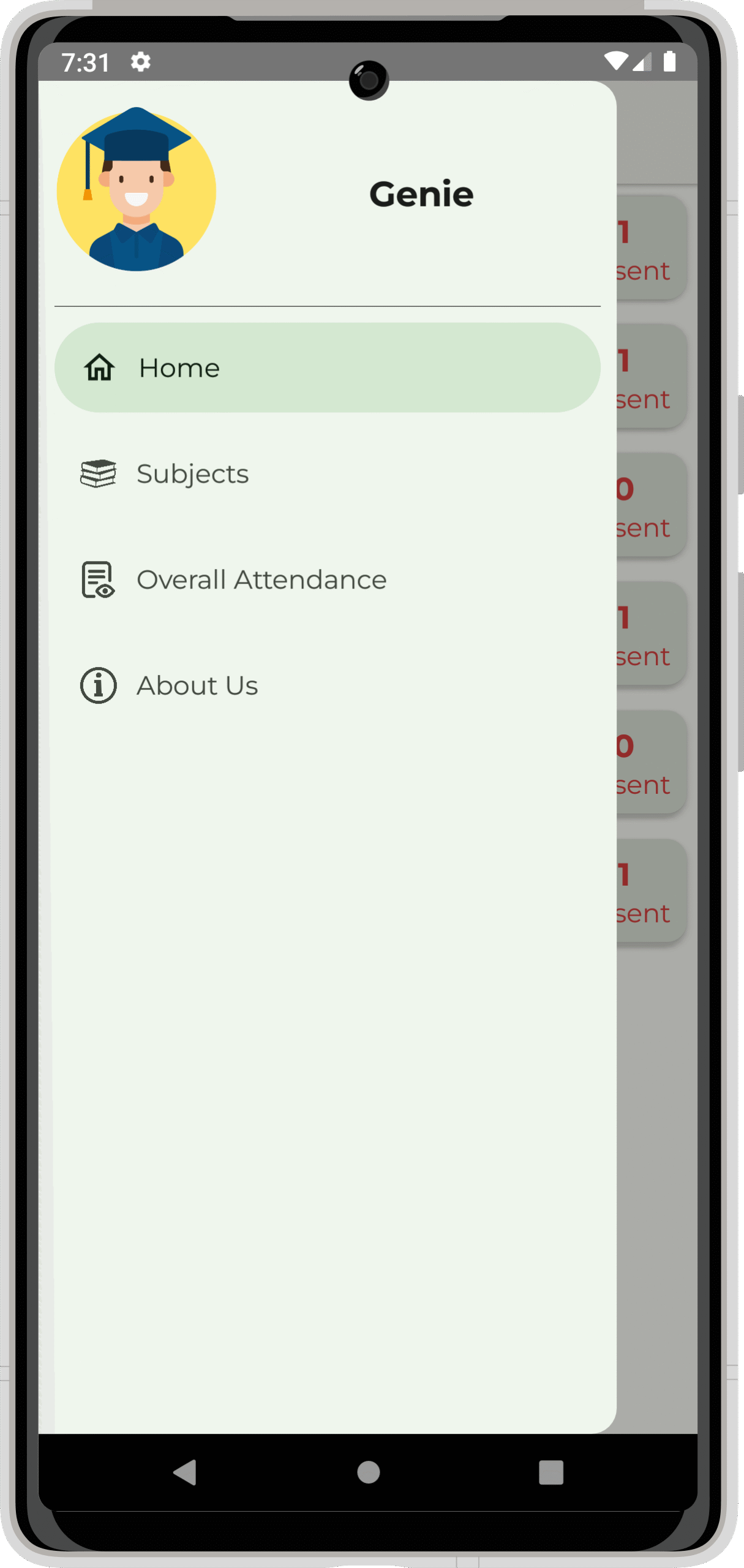
2. Track My Attendance - Menu Screen
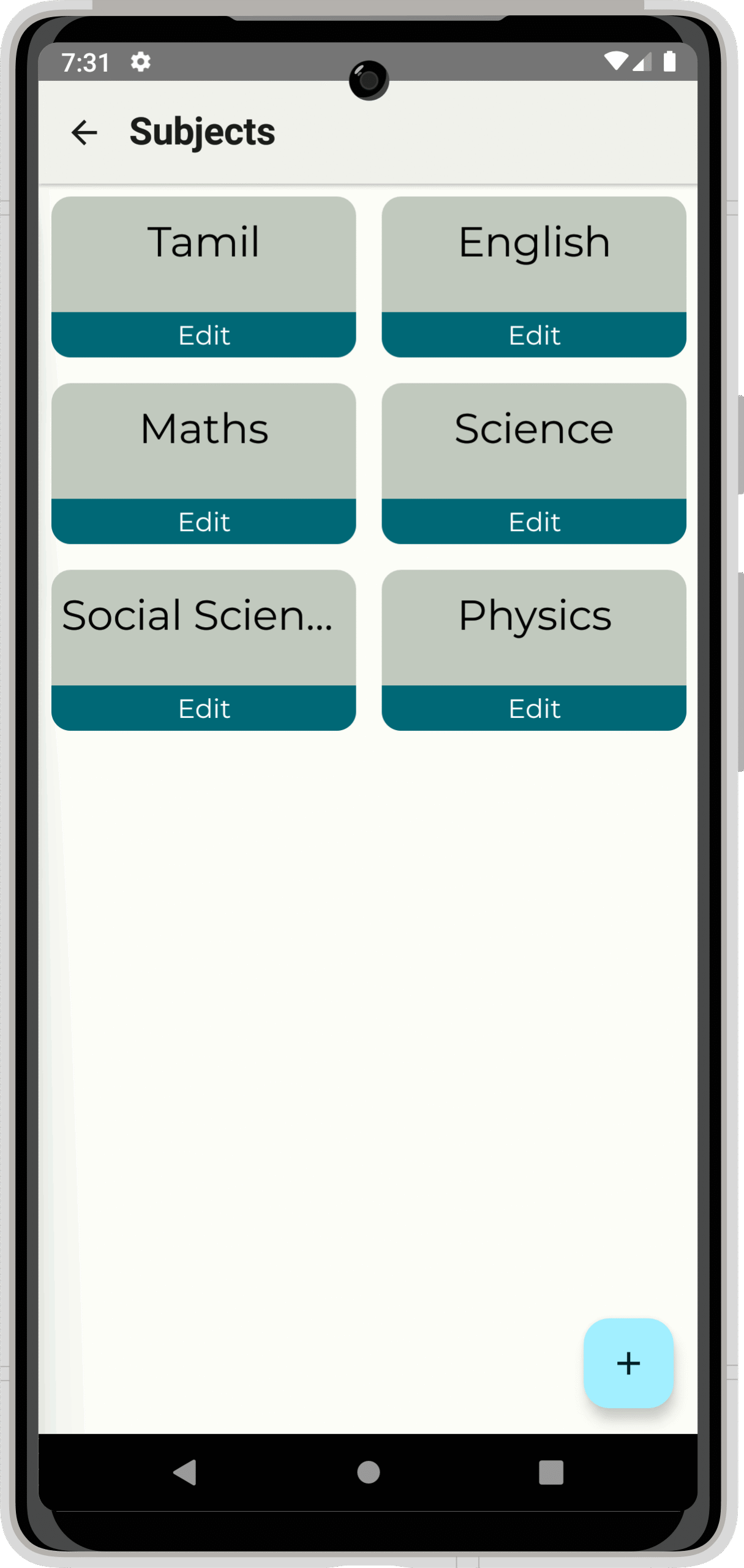
3. Track My Attendance - View Subjects Screen
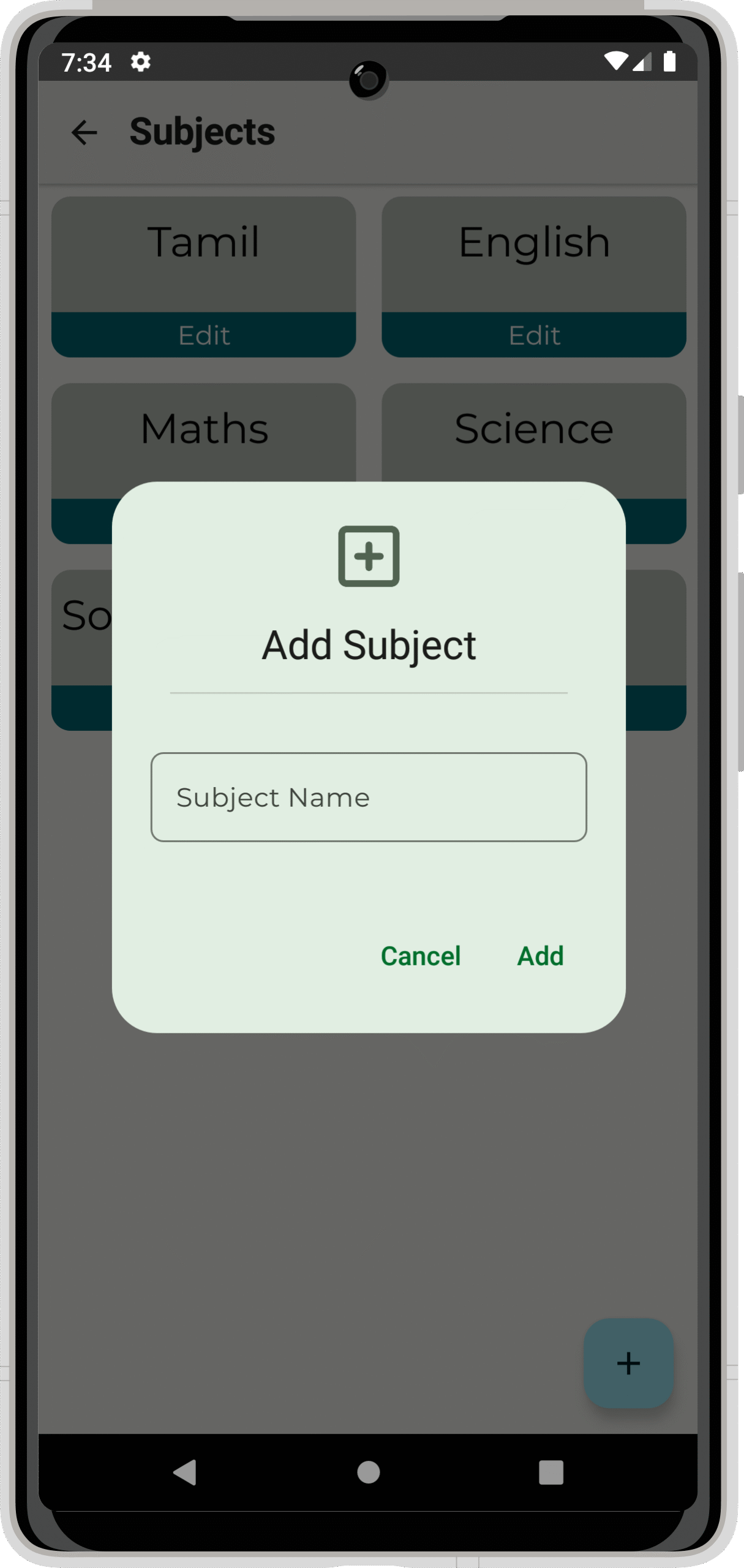
4. Track My Attendance - Add New Subject Screen
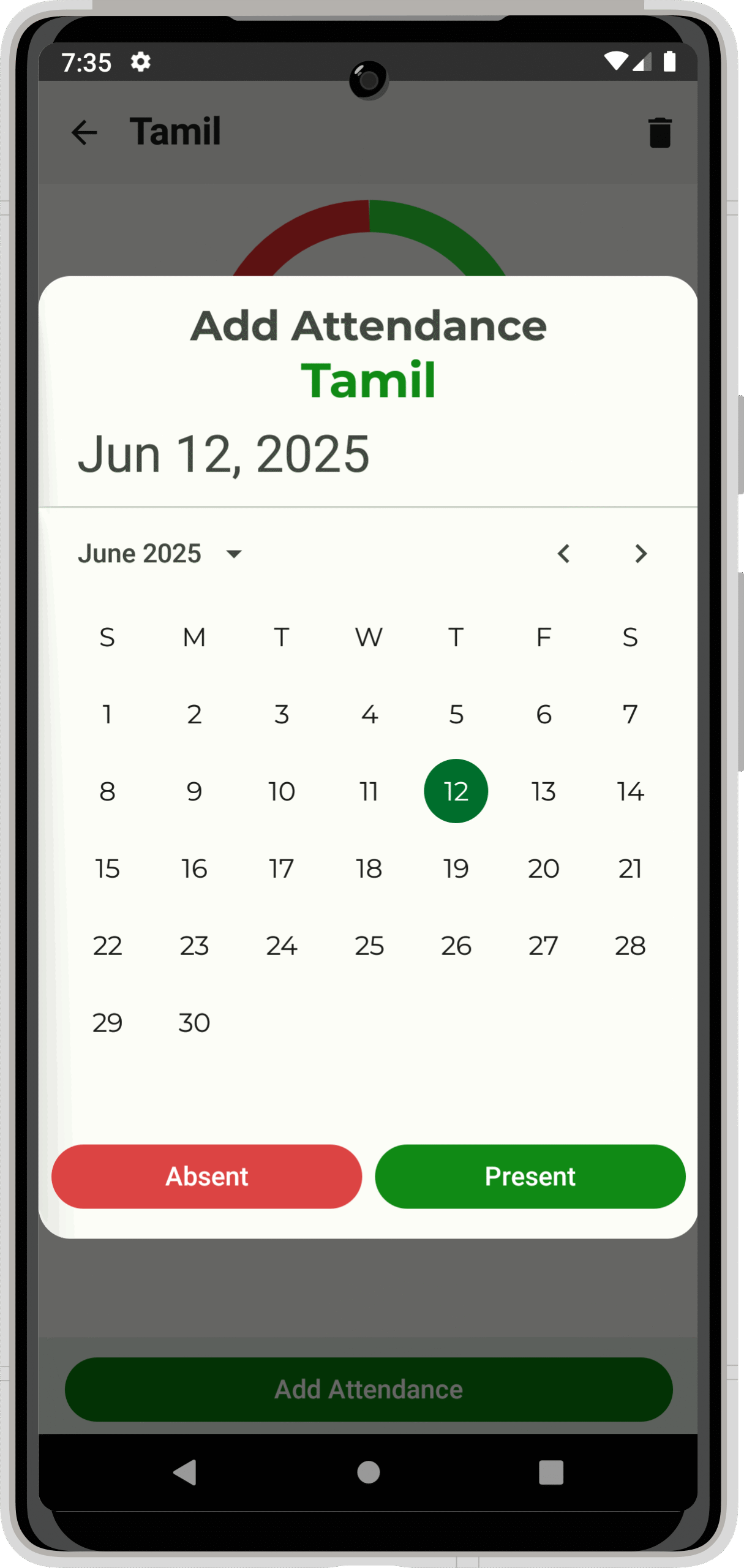
5. Track My Attendance - Add Attendance Screen
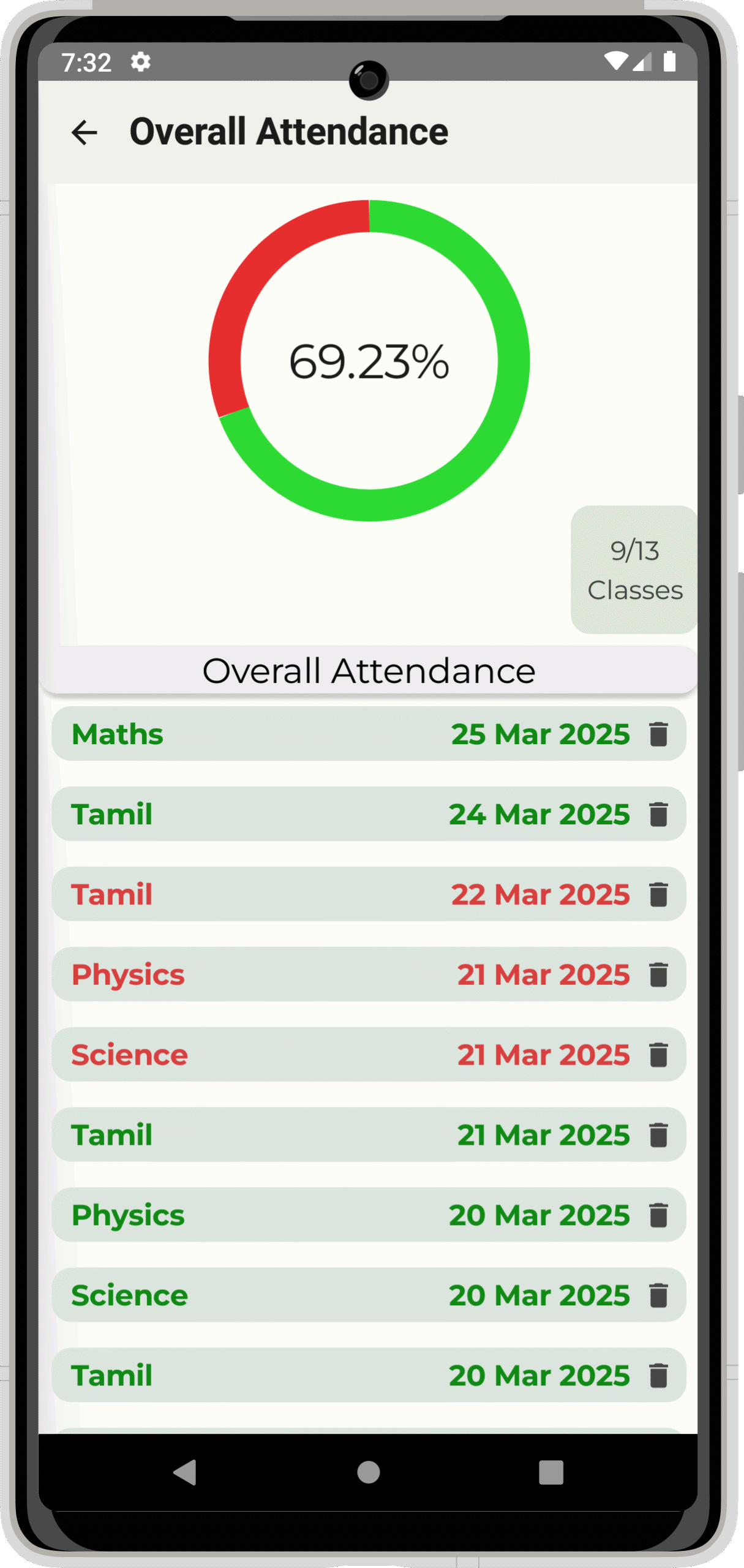
6. Track My Attendance - View Overall Attendance Screen
📒INTRODUCTION:
Accurate attendance records are essential for students to fulfill their academic obligations. The Attendance App addresses this necessity by offering a streamlined mechanism for tracking attendance, thereby assisting students in remaining informed about their academic engagement.
🔮FEATURES:
Subject Management: Students have the capability to add and manage subjects via the subjects section in the navigation panel, where all subjects are readily accessible.
Attendance Tracking: The home screen displays all subjects alongside the tally of attended and missed lectures. By selecting a specific subject, students can record attendance for individual lectures. The attendance screen details the dates of presence and absence and visualizes the attendance percentage through a doughnut pie chart.
Overall Attendance Overview: The application provides a holistic view of attendance across all subjects, enabling students to monitor their overall attendance percentage and identify areas necessitating improvement.
🛠️TOOLS & TECHNOLOGIES USED:
Programming Language: Kotlin
Frontend and UI Development: Android Jetpack Compose, a modern toolkit for constructing native Android user interfaces, which allows for a declarative approach to UI design.
Backend and Data Management: The application employs Android’s architecture components for data management and storage, ensuring efficient and reliable performance.
🗄️DATABASE:
This app uses Room Database, which is part of Android’s Architecture Components, to store data locally on the device.
Key Features of Room Database in this Project:
✅Local Storage: The app keeps attendance records on the device, so the data is saved even without internet access.
✅Entities and Models: Subjects and attendance records are saved as database entries. Each entry has a structure that includes the subject name, attendance dates, and status (present/absent).
✅CRUD Operations: The app can Create, Read, Update, and Delete subjects and attendance records.
✅LiveData and ViewModel: Room works with LiveData and ViewModel to track changes in the database and update the display automatically.
Advantages of Using Room Database:
Makes it easier to work with databases using simple tags.
Checks SQL queries for errors before running them.
Provides strong and efficient storage for local data.
🔖USES:
The Attendance App is especially helpful for:
Students: Helping them keep track of their attendance so they can meet school requirements and avoid penalties.
Schools: Offering a tool that encourages students to check their attendance, which helps them take responsibility and manage themselves.
📲INSTALLATION & DEMO:
Eager to see it in action? Follow our easy steps to install the “Track My Attendance” app on your Android device and explore how it helps manage daily attendance in a clean, user-friendly interface built with Kotlin.
📝MINIMUM REQUIREMENTS:
🖥️System Requirements:
Operating System: Windows 7 or later, macOS 10.12 (Sierra) or later, or a Linux distribution with a graphical user interface.
Processor: Intel i3 or AMD equivalent (Quad-core recommended for smooth performance).
RAM: Minimum 4 GB (8 GB or higher is recommended for better performance during emulation).
Storage: At least 5 GB of free disk space for the Android Studio installation, SDK tools, and project files.
🎫Software Requirements:
Android Studio: Version 2021.1.1 (Arctic Fox) or later for compatibility with Jetpack Compose and Kotlin.
Java Development Kit (JDK): JDK 8 or later (bundled with Android Studio).
Gradle: Gradle 7.0 or above (handled automatically by Android Studio).
Android SDK: SDK version 21 (Lollipop) or higher.
🪧CONCLUSION:
In conclusion, utilizing contemporary Android development tools and methodologies, this attendance tracking app provides an easy-to-use interface for students looking to efficiently handle their attendance logs. Its user-friendly layout and extensive functionalities render it an essential ally for achieving academic success.
🎉SOURCE CODE:
Learning by doing starts here! Use the below download button to unlock the full project source code and explore every line at your own pace.
⚠️Important:Please report us immediately, if you found any link is broken or unable to access.
🤩Other Projects You May Like:
Love building Android apps? Check out more beginner-friendly mobile and web projects with free source codes and reports — only at Genie Projects World, where learning meets creativity!








Share Your Feedback