© 2026 Genie Projects World. All Rights Reserved.

Download a free Rock Paper Scissors game using JavaScript with source code. Explore 3-round gameplay, strength points, Computer Player mode, and more.
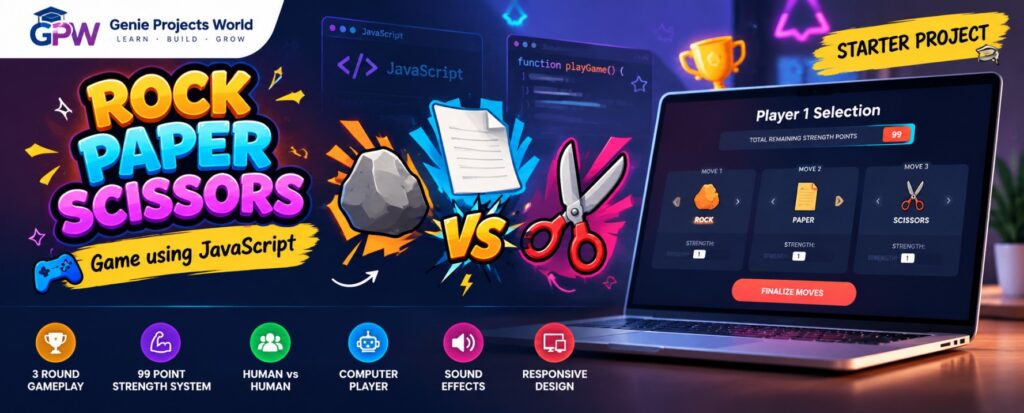
Bring the classic Rock Paper Scissors game into a more strategic digital experience! 🕹️This JavaScript-based project expands the traditional game by allowing each player to prepare three different moves, with each move containing both a move type and a strength value. Each player receives a total of 99 strength points, which must be distributed across their three moves. Players then compete through three rounds, with the winner of each round determined by a combination of the traditional Rock Paper Scissors rules and the assigned strength values. When both players choose the same move type, the player with the higher strength wins that round. If their strength values are equal, the round ends in a tie. After all three rounds, the player who wins the majority of rounds becomes the overall game winner. 🏆The project also includes a Computer Player mode, allowing users to play against an automatically generated opponent.
Select either: Human vs Human (or) Computer Player
For each of the three moves, select:
Then assign the desired strength value.
The combined strength of your three moves must remain within the available 99-point limit.
For example:
- Rock – 30
- Rock – 60
- Paper – 9
Total = 99 points
The moves are compared in their selected order. Different move types follow the classic RPS rules, while identical move types are decided by strength.
The player who wins the majority of the three rounds wins the game. 🏆
Want to explore the complete project source code and learn how the game works?
Subscribe to our channel and join our official Genie Projects World Telegram community to receive the source code for FREE. 😉💖
Watch the quick demo to explore the gameplay, 3-round battle system, 99-point strength strategy and Computer Player mode.
This project is more than just a game. It provides a practical example of how JavaScript can be used to build interactive browser applications.
Students can explore:
It is a useful starter-level project for students who want to understand how programming logic can be transformed into an interactive web application.

Genie Projects World helps students explore ready-to-run academic projects with full source code and tutorials.
Proudly made in 🇮🇳 with ❤️ for Students.
Educational use only – Licensing info available in Terms
Share Your Feedback